> For the complete documentation index, see [llms.txt](https://mikata-health.gitbook.io/mikata-product-guide-for-customers/llms.txt). Markdown versions of documentation pages are available by appending `.md` to page URLs; this page is available as [Markdown](https://mikata-health.gitbook.io/mikata-product-guide-for-customers/mika-ai-scribe/feature-guides/french-user-interface.md).
# French User Interface
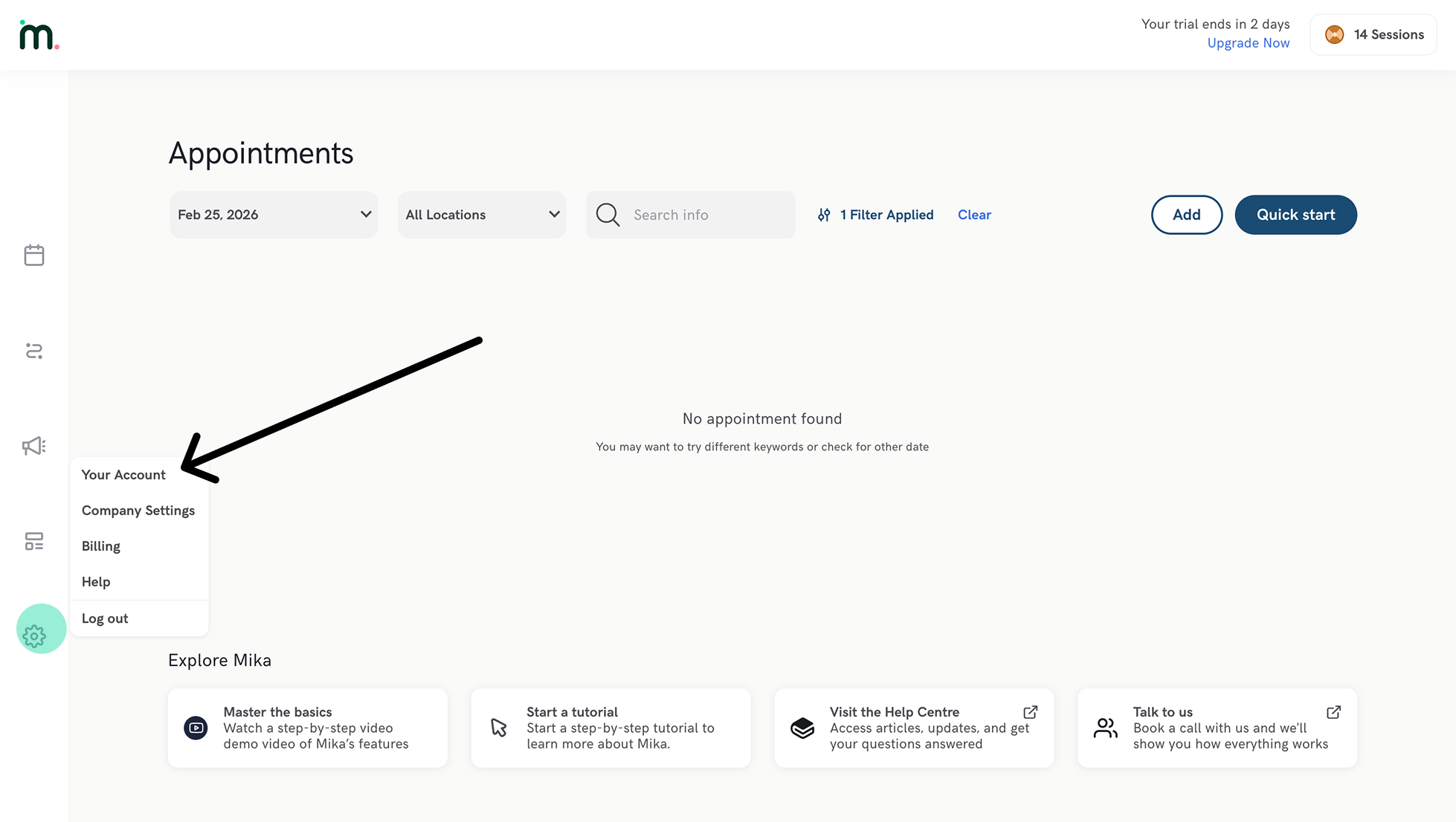
To change your account to French, go to :gear: **Settings** > **Your Account** > Scroll down to **Preferred Language** and select French (see images below). This will set your interface to French and your default audio transcription language to French (Billingual - English).
{% hint style="warning" %}
**Important:** This setting does **not** automatically change your notes to French. You can either use one of our default Français note templates or customize any note template in the library to output in French. [Click here for instructions on how to switch a note template to French](#how-to-change-your-note-output-to-french).
{% endhint %}
## How to change your note output to French
#### Step 1:
Open the template library from the sidebar and find the template you would like to change to French. Clicking on the template will open the template editor.
{% hint style="warning" %}
If the template is owned by Mikata, you need to add it to your library before editing.
{% endhint %}
#### Step 2:
In the template editor, switch the sidebar menu to :information\_source: (Details), and change the output language to French. This will change the output of each of the AI content placeholders in the note to French.
{% hint style="warning" %}
**Important:** This does not change the headings to French. The headings must be manually updated on the right.
{% endhint %}